The stats you open a companion app for. Nothing else.
MOBAdiff was built to replace heavy companion apps that run ads, overlays and background services while you play. It shows your profile, breaks down your games, imports runes in champ select, and then gets out of the way: when nothing is happening, it does nothing.
No in-game overlays, no ads, no tracking. It's a small native Windows app, not a browser in disguise.
Measured on version 0.1.2 (release build, League closed). App process plus its WebView2 processes combined.
What's inside
Every screenshot below is from the current app. Player names are hidden.
Profile and mastery
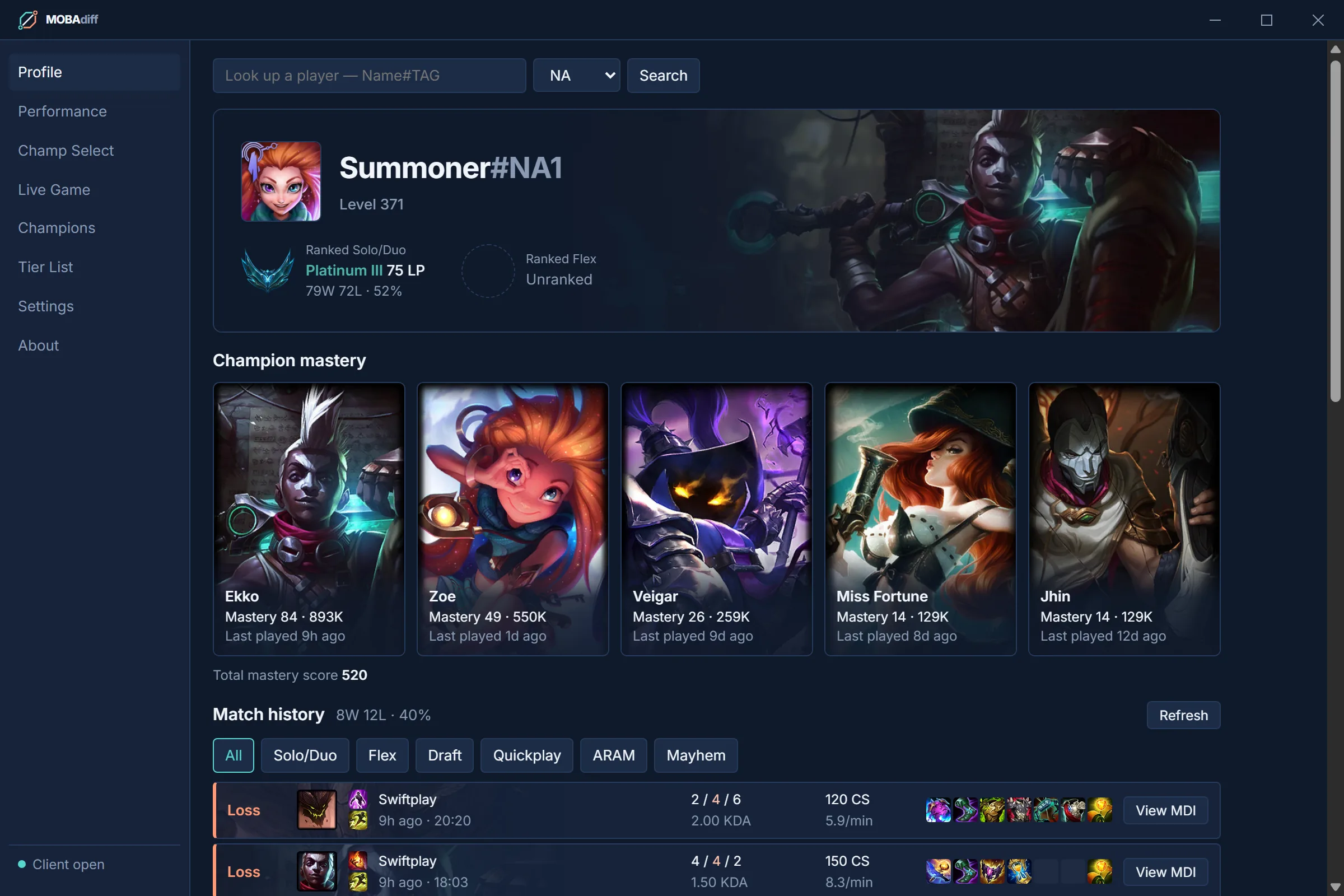
Rank, LP and win rate, your top champions by mastery, and your recent games with filters by queue. Look up any other player by Riot ID.
- Includes ARAM: Mayhem games the Riot API leaves out
- One click from any game into its full breakdown
Game view
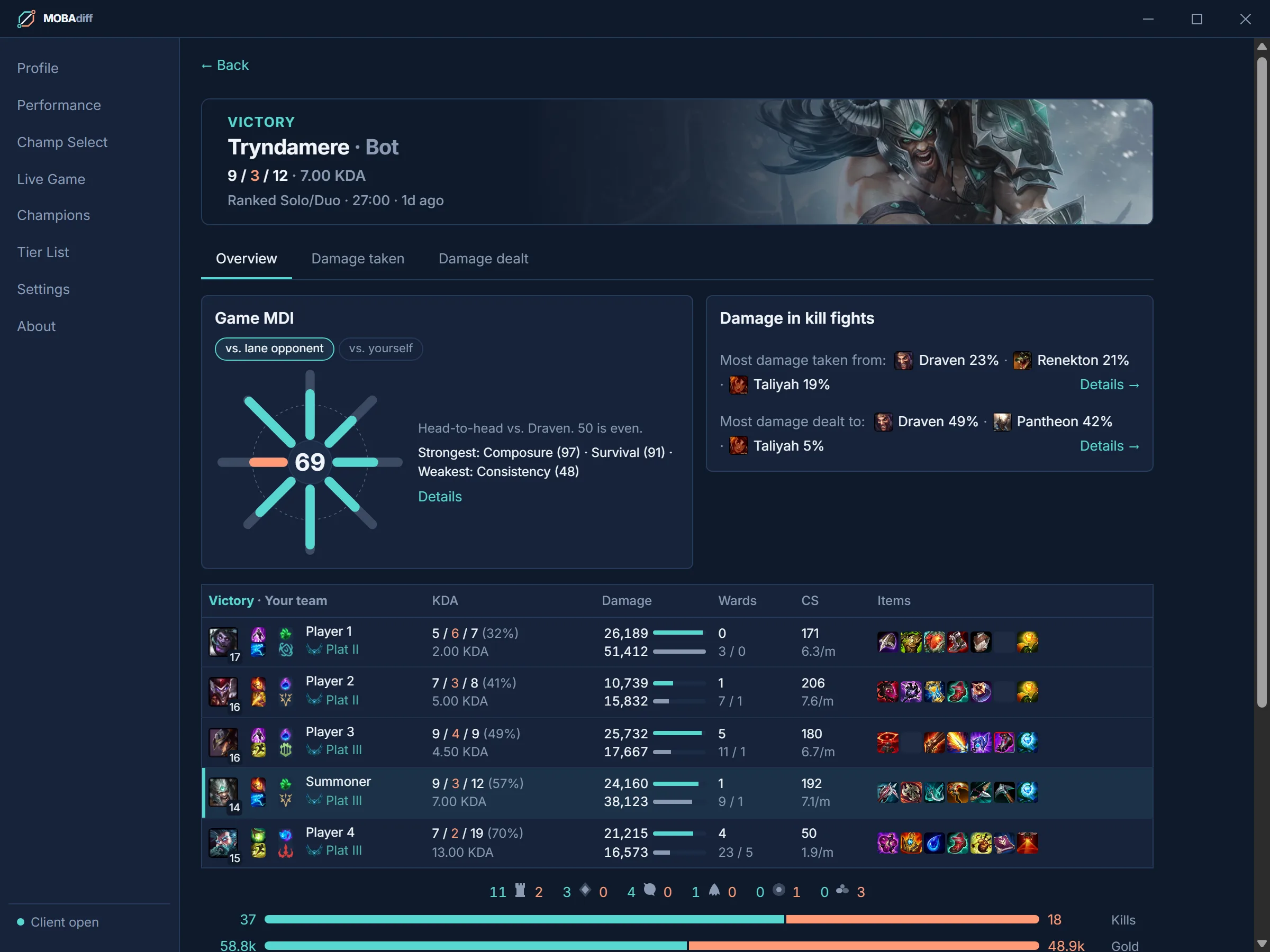
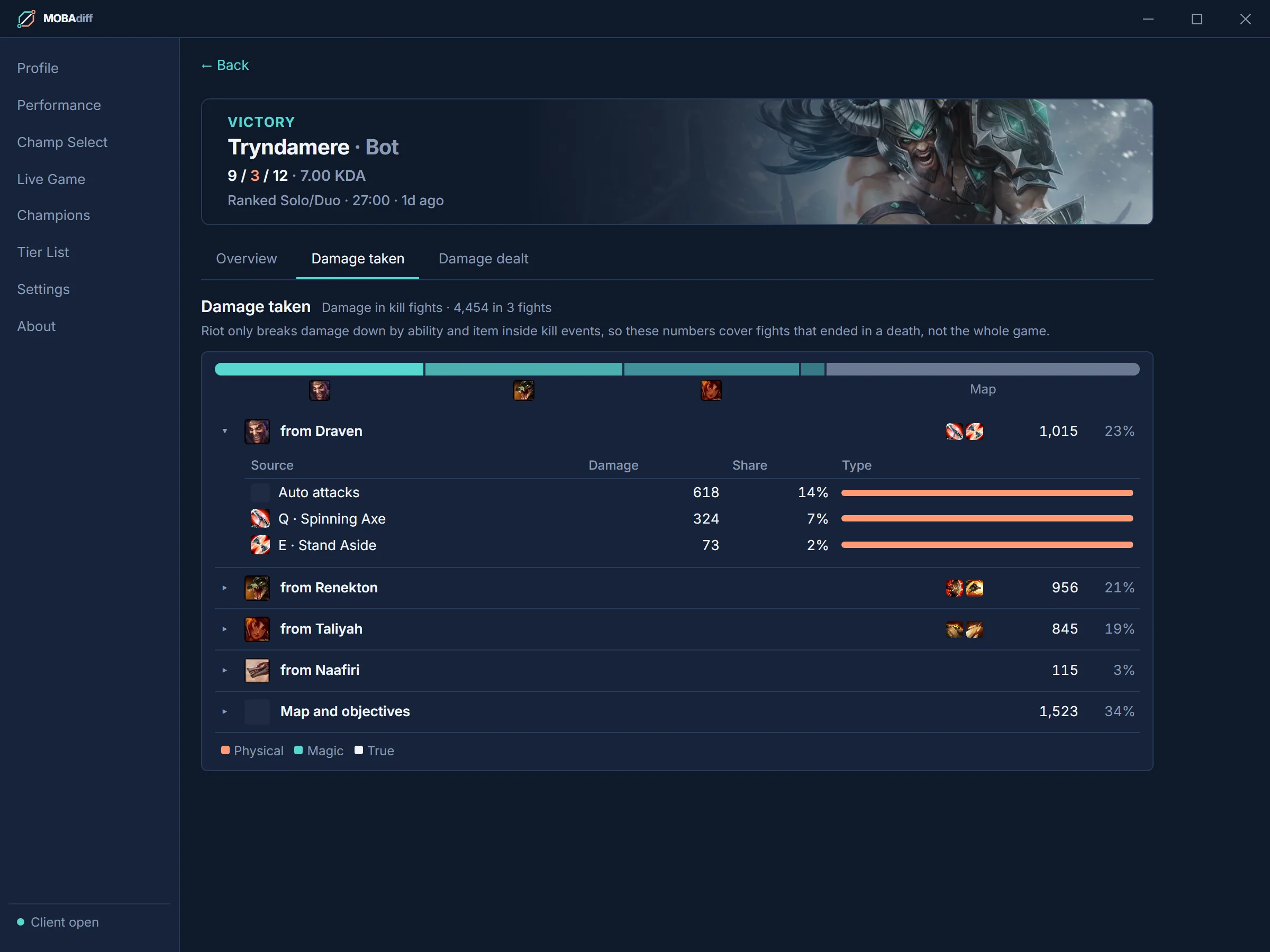
Open any game for your Game MDI against your lane opponent (or against yourself), a full scoreboard with current ranks, and a damage breakdown of the fights that ended in a kill.
- Damage taken and dealt, per champion and per ability
- Opens by itself when a game ends
Performance: Your MDI
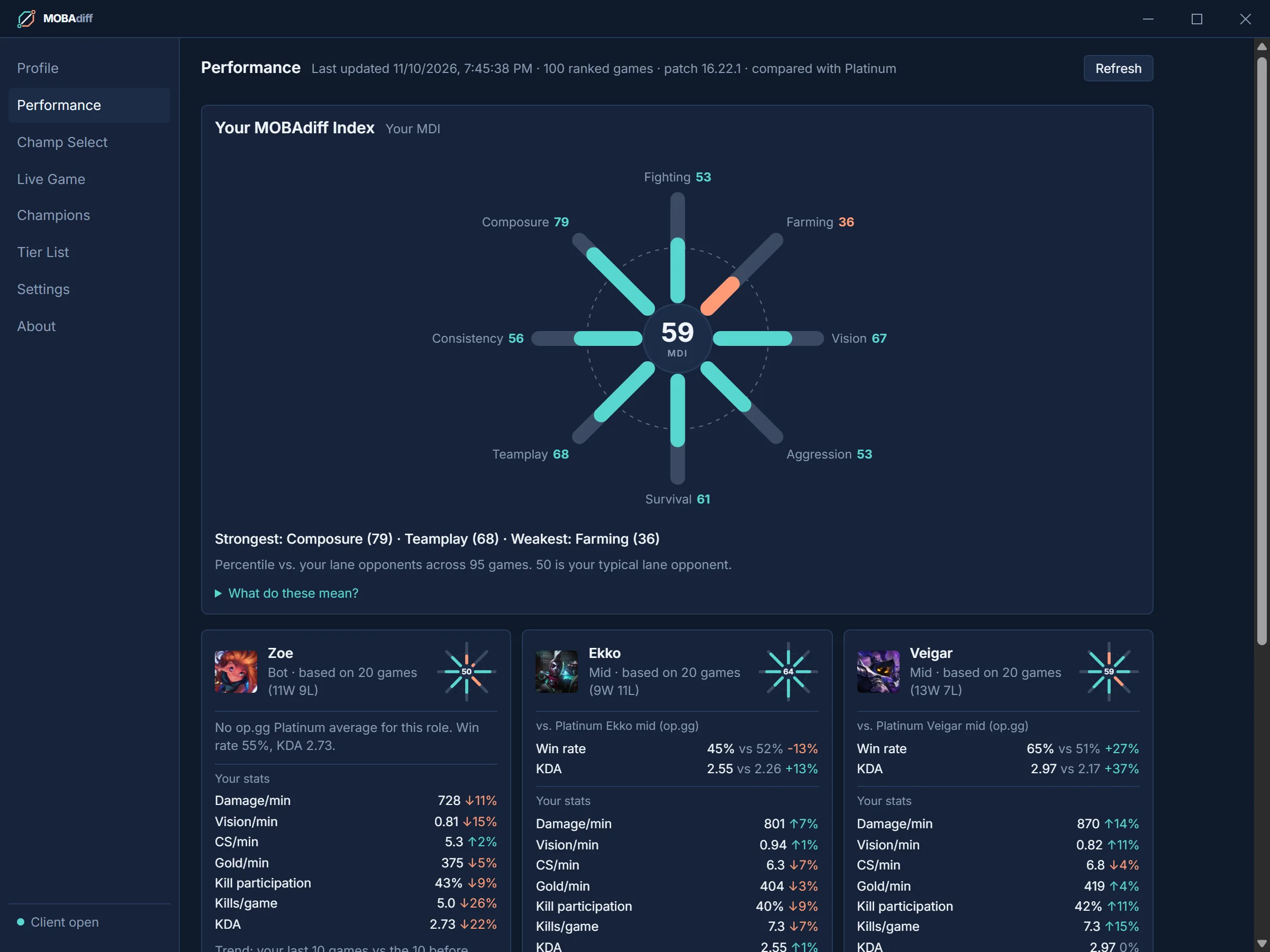
Your MOBAdiff Index scores eight areas of play (fighting, farming, vision, aggression, survival, teamplay, consistency and composure) from your last 100 ranked games, compared with your lane opponents. 50 is your typical opponent.
- Per-champion cards against op.gg averages at your exact tier
- Trends: your last 10 games versus the 10 before
Champ Select and Swiftplay rune import
When champ select starts, MOBAdiff opens with the build for your champion and lane. Import the rune page and item set in one click. In Swiftplay it reads both of your picks from the lobby and imports runes, spells and champions in one go.
- op.gg setups, the client's recommended pages, or your own presets
- Only ever touches rune pages it created itself
Matchup tips
Up to three item suggestions against the enemy team, each with a plain-language reason. In game, a live layer updates them from the scoreboard: who's fed, who's building tanky, who's healing, and what you can afford right now.
- Suggestions only: nothing is bought or swapped for you
- Uses only what the in-game scoreboard shows
Tier List with patch changes
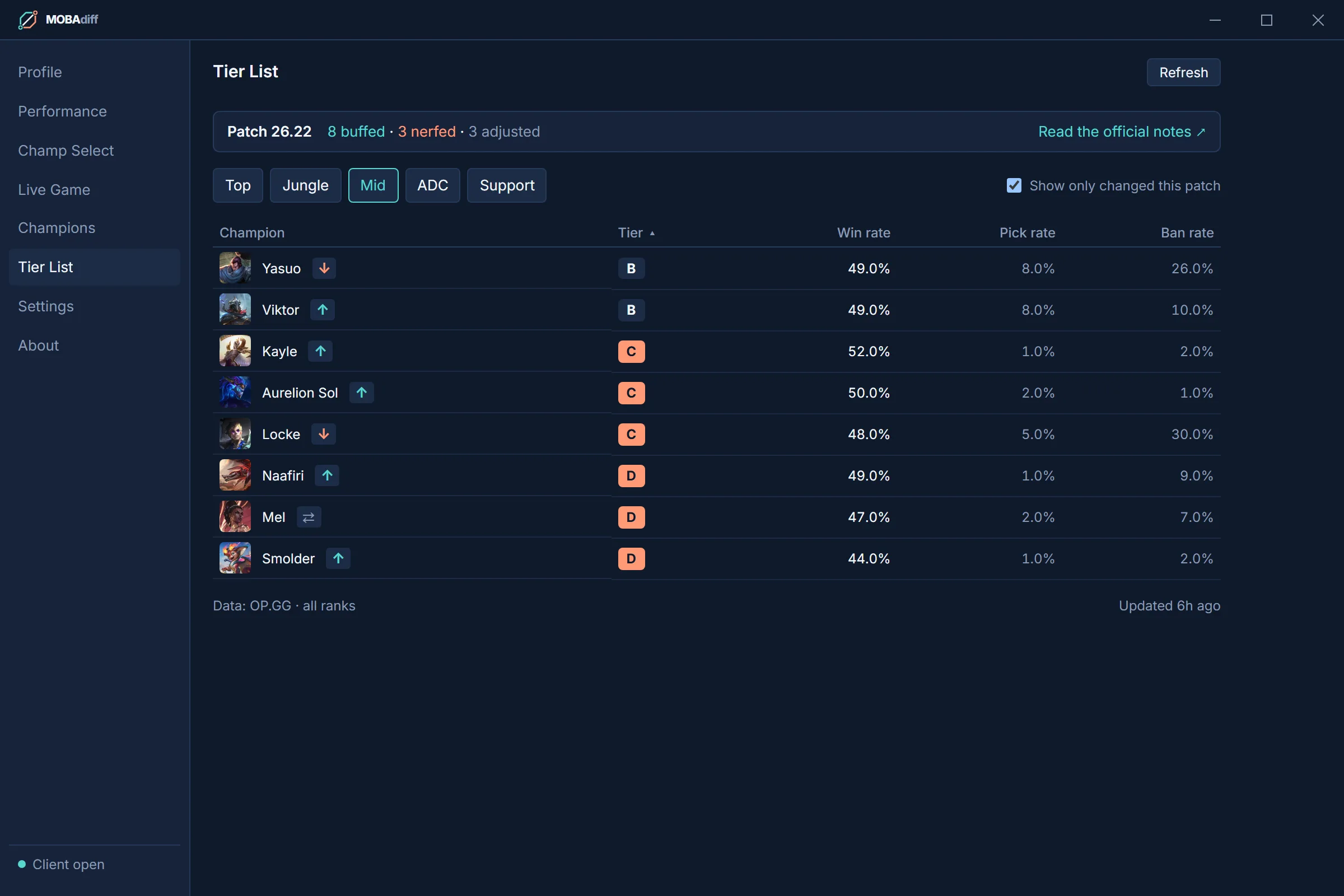
Tiers, win, pick and ban rates per role, with every champion buffed, nerfed or adjusted this patch marked. Filter to just the changed champions and jump to the official patch notes.
- Click a champion for its build in that lane
Download
Windows 10 and 11 only. Updates install from inside the app when you choose.
Current version: V1.6
Getting in
Access is invite-only: sign in with Discord after installing and your request will be reviewed.
- Install and open MOBAdiff.
- Sign in with Discord and enter your Riot ID.
- Once your request is approved, the app unlocks.